
AI Tools in Tax: What In-House Tax Teams Are Learning
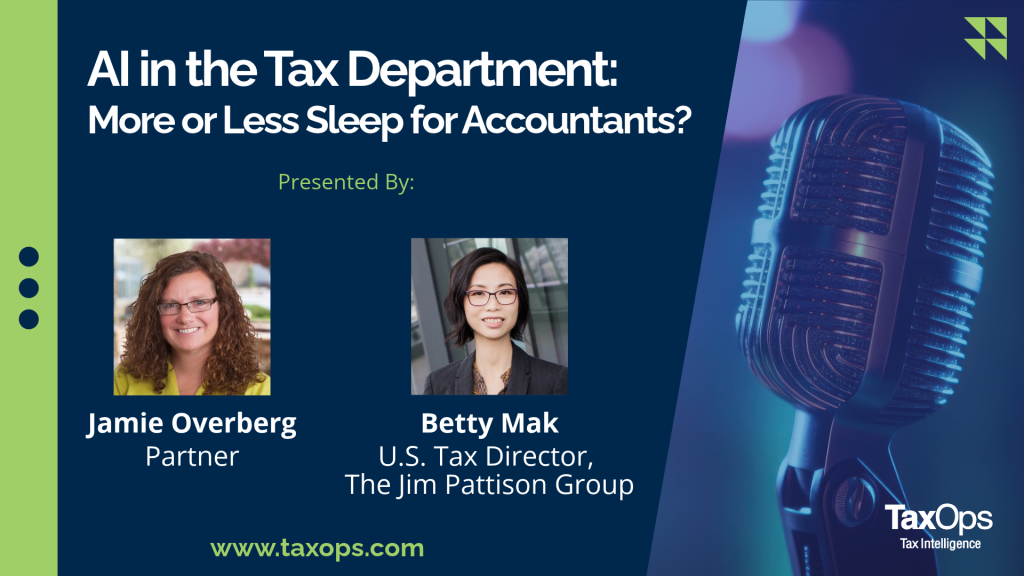
Will AI give accountants more sleep or less? That question framed a recent TaxOps conversation between Jamie Overberg, who focuses on the R&D tax credit at TaxOps, and Betty Mak, U.S. Tax Director at the Jim Pattison Group, a Canadian-based conglomerate. Both have spent the past year testing AI tools in tax work. Their results are useful, and they are mixed.
Betty opened with a caveat: she says she is “by no means an expert at all in AI,” and her department is still in an early stage of exploring. That makes her account more valuable, not less. It is a working tax director’s honest report on what has saved time, what has failed, and what still needs a person to check it.
This post is for tax directors, CFOs, controllers, and CPAs who are deciding how far to bring AI into compliance, research, and corporate tax planning.
What You’ll Learn
● How an in-house tax department is using Microsoft 365 Copilot and Claude during compliance season
● Why enterprise licensing is only the first safeguard for sensitive tax data
● How to treat AI research output, and why the way you word a prompt changes the answer
● What a prompt library is and why tax teams are starting to build one
● The training gap AI creates for junior tax professionals
● Why fast-moving areas like state tax decoupling from Section 174 still need human verification
How In-House Tax Teams Are Using AI Tools Today
Betty’s department started with the tool that was easiest to get. Microsoft 365 Copilot was rolled out across her company, and her team already worked in the Microsoft suite, so it was the obvious place to begin.
Building a First AI Agent for State Return Review
In the middle of compliance season, Betty built her first agent to help review the high volume of state returns. She gave it form instructions and asked it to compare each return against the prior year’s, which she uses as her baseline for review.
It made mistakes. At one point the agent said her apportionment numbers were identical to the prior year’s, which could not have been true. When she challenged it, the agent admitted the error. She also ran into practical limits, including caps on how many files it would take at once. Her conclusion: “Is it something that I would use to replace a person? No, definitely not.”
Copilot and Claude for Data-Heavy Computations
This year her team added Claude. Betty found it could handle larger volumes of data and works well inside Excel, where much of the work of preparing tax returns and complex computations happens. Getting good output took several rounds: review the results, find what is missing, and revise the prompt.
Recording and Summarizing Functional Interviews
Her clearest win came during a transfer pricing project. Betty ran about 10 to 12 functional interviews in one week, recording or transcribing them with Copilot, including meetings held in person. She skipped the generic default summary and wrote her own prompt telling Copilot what the interview was about and which points to highlight. “Copilot saved me probably 10 plus hours,” she said. The one condition she stressed was consent: everyone in the meeting has to agree to the recording.
Protecting Taxpayer Data and Intellectual Property With AI
Betty’s company does not allow the free public versions of AI tools. It uses enterprise licenses so that company data stays in a controlled environment. Even with that protection, she is careful about what she enters. When she wants analysis, she often generalizes the facts or describes a scenario rather than pasting in confidential information.
Jamie shares that concern. Tax work involves taxpayer identification numbers, employee Social Security numbers, and sensitive financial data. R&D credit work adds another layer: intellectual property that is still in development, sometimes before a provisional patent has been filed, and often covered by NDAs. TaxOps uses Copilot because it comes with the firm’s existing license and runs in a closed environment. Jamie still keeps details about active client projects out of it.
The lesson for any tax strategy for businesses that includes AI: an enterprise license is the first safeguard, and professional judgment about what goes into the tool is the second.
AI Tax Research: Trust but Verify
Betty uses traditional and newer research tools side by side. She has relied on Bloomberg’s portfolios for years and added Blue J this year, which covers U.S., Canadian, and U.K. tax. Her warning is simple: “AI is fast, but you just need to make sure that you also slow down and check all the references.”
The Junior Analyst Standard
Betty’s working rule is to treat AI like a new team member. “That being said, I guess you do have to treat it like a little bit of a junior helping you research something, and you would have to check the work over.” The risk is a wrong answer, wrong numbers, or a ruling that does not match your facts. Experienced professionals usually have a sense of what the answer should be before they see it. Junior staff often do not.
Jamie gave an example from her own work. A state FTB agent cited a case from the early 1990s to disallow supplies from a taxpayer’s R&D credit. Jamie pointed to a more recent case that the IRS follows, which allows supplies to be included. The agency conceded and allowed 100 percent of the supplies. A loosely worded AI prompt might have turned up the older case and missed the one that now sets precedent. Jamie summed it up with the familiar line “trust but verify.”
Why Prompt Wording Changes the Answer
Jamie once asked an AI tool the same research question three ways and got three very different answers. “So, I guess the response you get is only as good as the question you ask,” she said.
Betty described one fix. At an AI session EY ran for her team, she learned about prompt libraries: standard prompts that have been reviewed and stored in an internal system. For state return review, a standard prompt could tell the tool to compare against the prior year, check apportionment, and flag anything unusual, so no one has to write those instructions from scratch each time. Betty already records her prompts in her workpapers so staff can repeat the process next year. A shared library takes that habit one step further.
Training the Next Generation of Tax Professionals
Firms disagree about whether junior staff should have AI tools at all. Some argue new hires need to do the work by hand to learn it. Betty’s company makes Copilot, Claude, and Blue J available, along with training on how to use them responsibly. Staff are expected to check references, understand what the tool produced, and confirm the authorities actually apply to the facts.
Betty sees the two groups using AI differently. Experienced professionals use it to test their instincts or find a code section they know exists. Newer professionals can use it to learn. A new hire facing a large area like the R&D credit can get a quick orientation to the four criteria before reading the code and regulations. Even so, she was clear about where authority comes from: “It’s not because Blue J said this.”
The Hidden Cost of AI Leverage
Betty also described a problem she has not solved. During a recent compliance crunch, she worked with Claude to produce computations herself instead of handing the project to her staff member. “AI became one of my staff people,” she said. The work got done, but her staff member lost a chance to learn a specialized topic. Because she had been so far removed from the process, reviewing the finished product afterward taught her little.
“But are we kind of giving those opportunities for our staff to get trained up?” Betty asked. She also noted that some companies are deciding not to hire for work AI can absorb. Jamie suggested one answer: once the deadline has passed, have staff go through what was built, including the formulas, the computations, and the output.
Multi-State Tax Compliance and State Tax Decoupling
Both called state and local tax one of the hardest areas to research. The information is scattered, and for multi-state tax compliance it changes constantly. Jamie described tracking states’ responses to Section 174 capitalization, where positions kept reversing:
● In Arizona, legislation to match federal treatment was vetoed by the governor.
● The District of Columbia decoupled, was told by the federal government it could not, and won the resulting court case.
● Hawaii decided in June to decouple, after many companies had already filed on time.
AI helped TaxOps keep up, but it did not catch everything, and it meant much more verification. The team still relies on Deloitte’s state alert updates, Accounting Today, and Tax Notes state summaries. Before filing a return, they go back and confirm a state’s current position on Section 174 and the OBBA tax provisions. As Betty put it, “perhaps the good news is that AI is not quite replacing human yet in a lot of these areas.”
Frequently Asked Questions
Q: How are corporate tax departments using AI tools?
A: At the Jim Pattison Group, the tax team uses Microsoft 365 Copilot and Claude to review state returns, work through large data sets in Excel, and summarize recorded interviews. Betty Mak says the results are mixed. AI helps most when time is short, and it still needs human review.
Q: Is it safe to put tax data into AI tools?
A: Betty’s company bans free public AI tools and uses enterprise licenses to protect its data. Even so, she generalizes or removes confidential details before asking for analysis. Jamie Overberg keeps client intellectual property out of AI tools entirely.
Q: What is a prompt library for tax teams?
A: A prompt library is a set of reviewed, standardized prompts stored where the whole team can use them. Because different wording produces different answers, standard prompts make results more consistent. Betty learned about the approach at an EY session and plans to adopt it.
Q: Can AI track state tax decoupling from Section 174?
A: It helps, but it is not reliable on its own. Jamie Overberg found that AI missed some changes in states that kept reversing their positions, so her team checks AI output against trusted state tax update services before filing.
Listen to the Full TaxOps Episode
This conversation covers more than this summary can, including the trade-offs Betty and Jamie are still working through. For practical guidance on AI tools in tax, R&D credits, and multi-state compliance, listen to the full episode and explore more from TaxOps at https://taxops.com/.
About the Hosts
Jamie Overberg — Partner, Tax Ops Minimization. With over 20 years of Research & Development (R&D) credit experience, Jamie specializes in executing and managing all aspects of the R&D tax credit as well as a wide range of tax minimization strategies and financial reporting requirements under ASC 730, ASC 740 and Fin 48. Jamie also works with Section 263A and Section 382 analysis, calculations, and reporting. She works primarily with clients in the automotive, engineering, manufacturing, software, biotech and oil and gas sectors, and has worked on numerous R&D tax controversy engagements.
Betty Mak — Betty Mak, CPA, is U.S. Tax Director for The Jim Pattison Group, one of Canada’s largest privately held companies. She chairs the Federal Tax Committee of the Tax Executive Institute (TEI). Before joining Jim Pattison, Betty spent 13 years at KPMG and held senior tax manager and director roles at several other firms, including Maxar Technologies. She holds an M.S. in Taxation from Golden Gate University and a Bachelor of Commerce in Accounting from the University of British Columbia.
Connect with Betty on LinkedIn
Listen to the full conversation now on Tax Intelligence, or watch on YouTube.
Tax Intelligence with TaxOps
This is the podcast where experienced tax professionals share clear, practical insight on today’s most complex tax issues–from SALT and federal tax strategy to ASC 740, tax minimization, and investment fun considerations. Each month, our experts break down what matters, what’s changing, and how to think strategically about tax–so you can make informed decisions with confidence. Listen today!
About TaxOps
At TaxOps, business tax is all we do. Our teams have the knowledge and focus to solve tax problems with practical tax answers. By hiring our Big Four-veteran leaders and experienced teams, you get tax strategists on your side supporting your strategy wherever business takes you. We deliver the strength, experience, and resources of a national tax brand with the hands-on client engagement of a boutique firm in federal, corporate, state and local and international tax as well as tax minimization strategies for businesses. For an introductory call, visit TaxOps.com/contact.
Read more
- AI in the Tax Department: More or Less Sleep for Accountants
- R&D Tax Credit and Section 174
- Colorado Tax Law Changes: A 2026 SALT Guide
- Multistate Partnerships: Navigating Various State Taxation Rules of Corporate Partners
- IPO Tax Due Diligence: Identifying Risks, Managing Compliance, and ASC 740 Readiness
Recent Comments